Dedicated Adobe Creative Suite VAs for Creative Teams
Stop letting creative projects stall because production work takes too long. Clear your backlog with a remote Adobe Creative Cloud expert who gets the work done.
⚡We reply within 4 business hours

The backlog doesn’t clear itself. Your new Adobe VA will!
Unblock Your Creative Production
Most don’t stall because of a lack of ideas. They stall because the production work takes longer than the people responsible for it have time for.
A video sits uncut for two weeks because the editor is tied up on something else. A product photo comes back from a shoot, and nobody has time to retouch it properly. A campaign layout is needed by Friday, and the in-house designer is already at capacity. Sound familiar?
These aren’t creative problems. They’re resource problems. They happen repeatedly in studios, agencies, and marketing teams that don’t have a production person who shows up every week and gets the work done.
Virtual-Staffing.com matches you with a remote Adobe Creative Cloud expert who works in Premiere Pro, Photoshop, After Effects, Illustrator, and InDesign full-time. Whether you need someone to cut footage to a brief, handle batch retouching and compositing, or move between tools depending on what the week demands, we find the right person.
What an Adobe Creative Suite Technical VA Does
When you hire an Adobe Creative Suite VA through Virtual-Staffing.com, you’re bringing in someone who understands production standards, works to brief, and delivers assets that are ready to use, not almost-there files that need another round of fixes. They learn your workflow, your clients, and your standards, and the work gets sharper the longer you work together.
Video editing in Adobe Premiere Pro
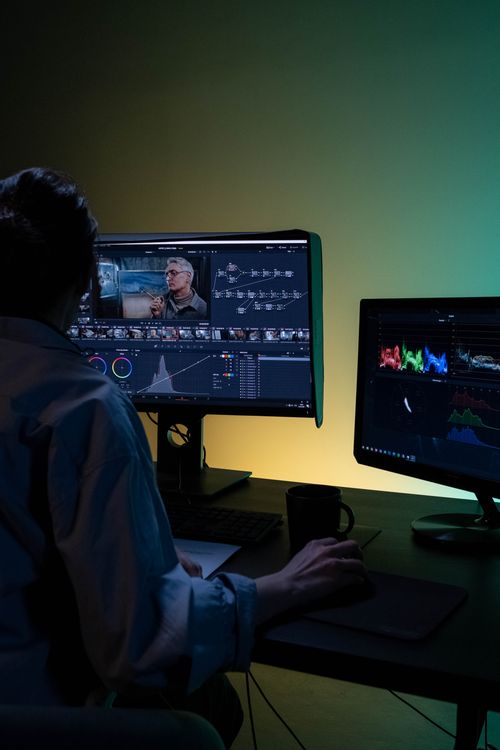
Your VA cuts footage to brief in Premiere Pro: assembling sequences, trimming to pacing, applying colour correction, syncing audio, and exporting to platform spec. Whether it’s a 30-second ad, a long-form interview, a YouTube series, or corporate content for internal communications, they handle the full post-production workflow from raw files to final delivery.
Photo retouching and compositing in Photoshop
Your VA handles everything from basic retouching and skin correction to complex background removal, compositing, and batch processing. Product photography, campaign imagery, headshots, and editorial assets come back polished and consistent, ready for web, print, or paid media placement.
Motion graphics and animation in After Effects
Your VA builds motion graphics, animated lower thirds, logo reveals, transitions, and short-form animated content in After Effects. If you have existing templates, they work within them. If you need templates built from scratch, they do that too. Assets integrate cleanly with Premiere Pro projects.
Layout and print design in InDesign
Your VA handles multi-page documents, print-ready layouts, brand collateral, brochures, presentations, and editorial design in InDesign. They work to your grid, your brand guidelines, and your print specifications, and deliver files ready to go to a printer or out to a client.
Illustration and vector work in Illustrator
Your VA produces vector graphics, icon sets, infographics, brand assets, and illustration work in Illustrator. Everything is delivered in the correct file formats for every downstream use: web, print, animation, or signage.
File management and Creative Cloud organisation
Your VA keeps your Creative Cloud libraries, project folders, and asset archives clean, labelled, and structured so nothing gets lost and nothing has to be rebuilt from scratch.
Our full Adobe Creative Suite VA service
Whether you’re running a lean studio or a high-volume agency, your VA manages the complete Adobe production workflow:
- Video & Animation: Complete video editing in Premiere Pro and motion graphics in After Effects.
- Images & Vectors: Photo retouching in Photoshop and custom vector/icon design in Illustrator.
- Layout & Print: Multi-page layouts and print design execution using InDesign.
- Asset Management: Organisation of Creative Cloud libraries, platform exports, and file archiving.
- Templates & Revisions: Cross-app Adobe template creation and fast, same-day corrections.
- QA & Collaboration: Strict brand compliance checks and teamwork with other creative freelancers.
- Full Delegation: End-to-end production management, freeing you for creative direction and client relations.
A Day in the Life of Your Adobe Creative Suite VA
| Time of Day | Focus | What Your VA Does |
| Morning | Brief review & project queue | Reviews incoming project files, client briefs, and asset libraries. Prioritises the day’s production queue and confirms delivery deadlines across active Adobe projects. |
| Mid-Morning | Primary editing & design work | Works through core production tasks — cutting footage in Premiere Pro, retouching images in Photoshop, building layouts in InDesign, or compositing in After Effects, depending on the day’s brief. |
| Late Morning | Refinement & brand checks | Reviews completed work against brand guidelines, makes corrections, checks colour accuracy, exports specs, and ensures every asset meets platform or client requirements before sign-off. |
| Afternoon | Delivery & revision rounds | Exports and delivers finished files to the agreed destination. Handles feedback and revision rounds without delays, turning corrections around the same day where possible. |
| End of Day | File management & next-day prep | Organises project files, updates shared folders, and prepares the next batch of assets or briefs. Keeps all Adobe projects clean, labelled, and easy to hand off. |
The Business Case For Bringing In An Adobe Creative Suite VA
When you hire a VA through Virtual-Staffing.com, you’re not paying for a one-off project. You’re building a production relationship.
A VA who spends months inside your projects picks up things a brief will never capture: how you like sequences cut, which retouching approach you prefer for product shots, how your brand guidelines play out in actual production decisions. A freelancer starting from scratch every time has none of that.
A VA also costs less than either. One person owns the output. Quality doesn’t vary because the person doesn’t rotate.
How it works: from onboarding to ongoing production
| Step | Stage | What Happens |
| Step 1 | Discovery Call & Project Audit | We learn what you produce, which Adobe tools you rely on, and where your current production workflow is breaking down. We scope the engagement around your output volume and asset mix. |
| Step 2 | VA Matching | We match you with a remote Adobe Creative Cloud expert who has hands-on experience with the specific tools your projects require. You meet your VA before work begins. If the fit isn’t right, we find someone better. |
| Step 3 | Workflow & Access Setup | Your VA gets access to your Creative Cloud libraries, project files, asset folders, and any shared drives or project management tools. We map the production workflow before a single file is touched. |
| Step 4 | Production Begins | Assets come back polished, on-spec, and on time. Your VA works through the agreed volume each week without chasing or reminders. |
| Step 5 | Ongoing Refinement | Your VA refines their process as they learn your standards, your clients, and your preferences. Output quality compounds over time. |
Engagement Options
| Starter | Growth | Authority | |
| Best for: | Freelancers or small studios needing reliable Adobe production support for video editing, retouching, or design without hiring in-house. | Growing agencies or brands running regular Adobe-based production across multiple tools and project types. | High-volume studios, agencies, or brands managing complex multi-tool Adobe workflows at scale. |
| Includes: | Adobe Premiere VA editor support or Photoshop design assistant work for one primary tool, file delivery, and revision rounds. | Everything in Starter, plus multi-tool support across two or more Adobe apps, batch processing, and weekly production summaries. | Everything in Growth, plus motion graphics, multi-project management, After Effects compositing, InDesign production, and a dedicated senior Adobe VA. |
| Volume: | Up to 20 assets or edits/month | 20–60 assets or edits/month | 60+ assets, projects, or edits/month |
Not sure which tier fits your production volume? Book a discovery call, and we’ll help you scope it based on your current workload and output goals.
Need your Adobe production supported by content strategy, copywriting, or social media distribution? Our wider virtual staffing team covers every stage of the creative workflow.
Frequently Asked Questions
Get straight-to-the-point answers to all your burning questions about our Adobe Creative Suite VA services.