
Canva Virtual Assistant: Tasks, Cost & How to Hire One
A Canva virtual assistant is a remote professional who designs, edits, and organises your branded visuals in Canva, typically for $6 to $15 an hour when hired offshore.
Most founders know the feeling. Posts are due Monday, the pitch deck is half built, and you are resizing a logo at 11 p.m. Design work is rarely difficult. It is just constant.
Below: what the role involves, what it costs, and how to hire well. We’ll also say so when a different kind of designer is the better call.
What Does a Canva Virtual Assistant Do?
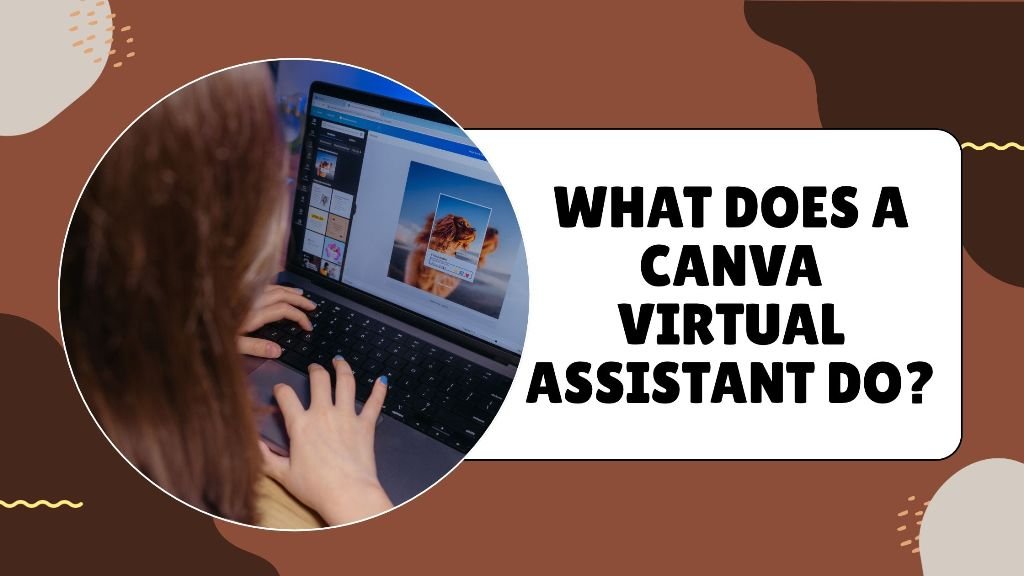
A Canva virtual assistant produces and maintains your everyday marketing visuals inside Canva: social graphics, presentations, ebooks, templates, and simple video edits. They work from your brand kit, so every file looks like it came from one team.
Typical tasks include:
- Social media graphics: Posts, carousels, stories, and thumbnails sized correctly for each platform.
- Presentations and pitch decks: Clean slides built from your notes, then refreshed each quarter.
- Lead magnets and ebooks: Checklists, guides, and workbooks formatted for download.
- Brand templates: Editable layouts your team can reuse without breaking brand rules.
- Print and admin assets: Flyers, menus, certificates, and business cards.
- Resizing and repurposing: One approved design turned into five formats.
This work usually sits inside a wider creative virtual assistant role. Many VAs also take on scheduling, light copy edits, and file organisation. If you also want posts published and comments answered, a social media virtual assistant can cover that side. Consistency is the main thing you get: one person, one brand kit, steady output.
Canva Virtual Assistant vs Canva Expert for Hire
Both can open Canva. They are not the same hire.
A Canva expert for hire, usually a freelance graphic designer, brings design judgment. They build brand identities, logos, and custom visuals from scratch. If you need to hire Canva designer talent for a logo or a full rebrand, go with a specialist.
A VA is built for volume. They take your approved look and apply it over and over, quickly and on schedule. They also soak up the admin around design: naming files, chasing feedback, updating templates.
How Much Does a Canva Virtual Assistant Cost?
A Canva virtual assistant typically costs $6 to $15 an hour when hired offshore, which is roughly $1,000 to $2,400 a month for full-time support. US-based assistants and senior designers charge more. Your Canva VA cost depends on skill level, weekly hours, and how you hire.
Published figures point the same way. One Philippine hiring platform puts the ballpark for a Canva VA at about $7.58 an hour, or roughly $1,213 a month full-time, going by its own listed profiles. On Upwork, Canva designers in Malaysia list rates from about $6 to $30 an hour.
The main options side by side:
| Option | Typical hourly rate | Best for |
| Offshore Canva VA | $6 to $15 | Steady volume, templates, brand upkeep |
| US-based VA | $18 to $40 | Same-timezone support, client-facing work |
| Freelance Canva designer | $15 to $100 | Brand identity, custom visuals |
The math is simple. Ten hours of design a week at $10 an hour comes to roughly $400 a month, a small fraction of what a salaried in-house designer costs before software and benefits.
Budget for the software too. Canva Pro and Teams seats commonly cost between $10 and $25 per user each month, depending on plan and billing. Check Canva’s pricing page before you commit.
Already paying for Photoshop or Illustrator work? Our breakdown of Adobe Creative Suite VA costs shows how the rates compare.
When a Canva Virtual Assistant Makes Sense, and When It Does Not
Agencies aren’t wrong to sell Canva design services as fixed packages. The model suits a one-off launch. For steady weekly volume, though, the overhead and margin start to add up.
A Canva VA is the right fit if:
- You publish content every week, and design is eating your time.
- You already have a logo, colours and fonts.
- You need decks, templates and social posts, not original illustration.
- You want one steady person rather than a new freelancer each month.
It is the wrong fit if:
- You still need a brand identity. Hire a specialist designer first.
- You need complex illustration, motion graphics, or packaging. Canva has limits, and so do most VAs who work in it.
- You need strategy. A VA executes your direction. They do not set it.
- You need under two or three hours a week. A per-project freelancer may cost less.
How to Hire a Canva Virtual Assistant
To hire a Canva virtual assistant, define the workload, review Canva-specific samples, run a paid test task, and onboard them with your brand kit. You can hire directly through a marketplace or work with a staffing partner that vets and replaces talent for you.
Work through it in this order:
- Define the workload. List the asset types and weekly hours. “Eight hours a week of social graphics and one deck a month” is a brief. “Help with design” is not.
- Ask for Canva samples. Look for clean layouts, consistent fonts, and range. Samples from other design tools don’t prove Canva skill.
- Run a paid test. Set a two-hour task, such as a three-slide deck and two resized posts. Judge speed, accuracy, and how they handle feedback.
- Check communication. Overlapping working hours matter more than a few dollars off the rate.
- Onboard with a brand kit. Share logos, hex codes, fonts, and approved templates on day one. Our guide to brand consistency for remote design teams covers the setup.
Keep feedback specific and send it in one batch. It cuts revision rounds fast.
Skills to Look for in a Canva VA
Canva is easy to open and hard to use well, and the difference shows in the details.
A strong Canva VA will usually have:
- Layout sense: Even spacing, readable hierarchy, and sensible font pairings.
- Brand discipline: They stick to your colours and fonts without being reminded.
- Template building: They set up locked, reusable layouts so your team can edit safely.
- Light video skills: Short reels, animated posts and basic captions.
- Organisation: Named files, tidy folders and a clear version history.
Extras like copywriting, Pinterest graphics or basic photo editing are useful, but they don’t replace the core skills above.
Hire Direct or Use a Staffing Service?
Hiring direct from a marketplace is cheaper per hour. You also own the sourcing, vetting, contracts, payments, and replacements. If your assistant disappears in week six, you start again.
A staffing service charges more because it carries that work. Vetting, backup cover, and replacement are usually part of the deal. For founders with no time to screen candidates, it’s often the better call.
The right choice depends on your hours. If you have them, hire direct. If you do not, pay for the service.
Is a Canva Virtual Assistant Worth It?
For most small businesses publishing weekly, yes. Keep these in mind:
- A Canva virtual assistant handles repeatable design work, not brand strategy or complex illustration.
- Expect $6 to $15 an hour offshore, plus a Canva subscription.
- Test before you commit, and brief with a brand kit from day one.
Some of your competitors handed off their design backlog months ago and are already publishing more often. If you want a vetted Canva virtual assistant matched to your brand, book a discovery call with our team, and we’ll walk you through the options.